
Your manager sends a message: “Which product made us the most money in September, and which customers haven’t ordered yet?” The answers sit in a database with thousands of orders. You can wait a day for someone to export a spreadsheet, or write two short queries and reply in five minutes.
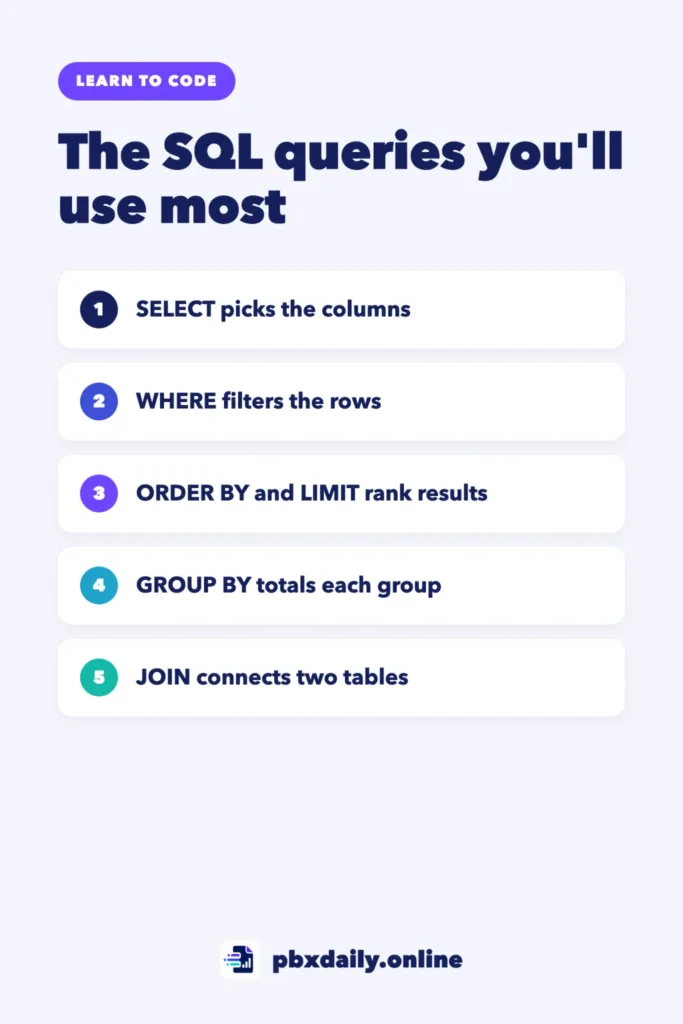
This guide covers SQL queries for beginners who want to work with data. You don’t need 30 commands: eight queries answer most questions a junior analyst gets. You’ll learn each one on the same small sales database, compare your output with the expected result and finish with a cheat sheet.
What SQL Is and Why Analysts Use It Every Day
SQL (Structured Query Language) is the standard language for asking questions of a relational database, where data lives in tables. Analysts mostly read data, so every query in this guide is a SELECT, which never changes your data. It’s also an early step on the path to becoming a data analyst with no experience.
Step 1: Set Up a Free Practice Database
- SQLite (easiest): free, no server, one file. Install the command-line tool from the SQLite website and run
sqlite3 shop.db, which creates the file, as the official SQLite shell guide explains. Type.mode boxfor tidy tables. - PostgreSQL: a free, open source database server. If it’s installed, create a practice database in
psql.
Every query here runs in both. Where they differ, you’ll see a note.
Step 2: Create the Two Sample Tables
Run this code to create the customers and orders of a small stationery shop:
CREATE TABLE customers (
  customer_id INTEGER PRIMARY KEY,
  name        TEXT,
  country     TEXT
);

CREATE TABLE orders (
  order_id    INTEGER PRIMARY KEY,
  customer_id INTEGER,
  order_date  DATE,
  product     TEXT,
  quantity    INTEGER,
  unit_price  NUMERIC(10, 2)
);

INSERT INTO customers VALUES
  (1, 'Ana', 'Brazil'),
  (2, 'Kofi', 'Ghana'),
  (3, 'Mei', 'Canada'),
  (4, 'Lucas', 'Brazil');

INSERT INTO orders VALUES
  (101, 1, '2026-09-02', 'Notebook', 3, 4.50),
  (102, 2, '2026-09-03', 'Pen', 10, 1.20),
  (103, 1, '2026-09-10', 'Backpack', 1, 35.00),
  (104, 3, '2026-09-12', 'Notebook', 5, 4.50),
  (105, 3, '2026-09-20', 'Pen', 4, 1.20),
  (106, 2, '2026-09-25', 'Backpack', 2, 35.00);
Lucas (customer 4) has no orders yet, on purpose: you’ll need him in Query 8.



Decimals: PostgreSQL shows two decimals, like 13.50. SQLite may format numbers differently, like 13.5. The values are the same, and the results below use the PostgreSQL format.
Query 1: SELECT and FROM
Question: What was sold in each order, and how many units?
SELECT product, quantity
FROM orders;| product | quantity |
|---|---|
| Notebook | 3 |
| Pen | 10 |
| Backpack | 1 |
| Notebook | 5 |
| Pen | 4 |
| Backpack | 2 |
SELECT picks the columns and FROM names the table. SELECT * returns every column. Without ORDER BY, row order isn’t guaranteed.
Query 2: WHERE
Question: Which Notebook orders were placed in September 2026?
SELECT order_id, order_date, quantity
FROM orders
WHERE product = 'Notebook'
AND order_date BETWEEN '2026-09-01' AND '2026-09-30';| order_id | order_date | quantity |
|---|---|---|
| 101 | 2026-09-02 | 3 |
| 104 | 2026-09-12 | 5 |
WHERE keeps rows where the condition is true; AND requires both. BETWEEN includes both ends, and text goes in single quotes. For a list, use IN: WHERE product IN ('Pen', 'Backpack') returns orders 102, 103, 105 and 106.
Query 3: ORDER BY
Question: Which orders were worth the most?
SELECT order_id, product, quantity * unit_price AS total
FROM orders
ORDER BY total DESC;| order_id | product | total |
|---|---|---|
| 106 | Backpack | 70.00 |
| 103 | Backpack | 35.00 |
| 104 | Notebook | 22.50 |
| 101 | Notebook | 13.50 |
| 102 | Pen | 12.00 |
| 105 | Pen | 4.80 |
The expression quantity * unit_price gives each order’s value, and AS total names it, as the PostgreSQL tutorial on querying a table shows. DESC sorts from highest to lowest.
Query 4: LIMIT
Question: What were the three biggest orders?
SELECT order_id, product, quantity * unit_price AS total
FROM orders
ORDER BY total DESC
LIMIT 3;| order_id | product | total |
|---|---|---|
| 106 | Backpack | 70.00 |
| 103 | Backpack | 35.00 |
| 104 | Notebook | 22.50 |
LIMIT keeps the first rows. Always pair it with ORDER BY: the PostgreSQL documentation on LIMIT warns that otherwise “you will get an unpredictable subset of the query’s rows.” SQL Server uses TOP instead, as in SELECT TOP (3).
Query 5: COUNT, SUM and AVG
Question: How many orders, how much revenue and what’s the average order value?
SELECT COUNT(*) AS order_count,
       SUM(quantity * unit_price) AS revenue,
       ROUND(AVG(quantity * unit_price), 2) AS avg_order
FROM orders;| order_count | revenue | avg_order |
|---|---|---|
| 6 | 157.80 | 26.30 |
COUNT(*) counts rows, SUM adds and AVG averages. Check it: 13.50 + 12.00 + 35.00 + 22.50 + 4.80 + 70.00 = 157.80, and 157.80 / 6 = 26.30. ROUND(..., 2) keeps two decimals; without it, PostgreSQL adds a long row of zeros.
Query 6: GROUP BY
Question: How much revenue did each product bring in?
SELECT product, SUM(quantity * unit_price) AS revenue
FROM orders
GROUP BY product
ORDER BY revenue DESC;| product | revenue |
|---|---|
| Backpack | 105.00 |
| Notebook | 36.00 |
| Pen | 16.80 |
GROUP BY puts rows with the same product into one group, and SUM runs once per group: Backpack is 35.00 + 70.00, Notebook 13.50 + 22.50 and Pen 12.00 + 4.80. Rule: every column in SELECT must be in GROUP BY or inside an aggregate function.
Query 7: HAVING vs WHERE
Question: Which products brought in more than 50?
SELECT product, SUM(quantity * unit_price) AS revenue
FROM orders
GROUP BY product
HAVING SUM(quantity * unit_price) > 50;| product | revenue |
|---|---|
| Backpack | 105.00 |
HAVING filters groups after they’re calculated. It repeats the full SUM expression because PostgreSQL doesn’t accept the alias revenue there.
As the PostgreSQL tutorial on aggregate functions explains, WHERE selects rows before groups and aggregates are computed, while HAVING selects groups after. Here are both in one query: products above 20 from orders of 2 or more units.
SELECT product, SUM(quantity * unit_price) AS revenue
FROM orders
WHERE quantity >= 2
GROUP BY product
HAVING SUM(quantity * unit_price) > 20
ORDER BY revenue DESC;| product | revenue |
|---|---|
| Backpack | 70.00 |
| Notebook | 36.00 |
WHERE dropped order 103 (one backpack) before grouping, so Backpack falls from 105.00 to 70.00. Then HAVING dropped Pen, at 16.80.
Query 8: JOIN
Question: How much revenue came from each country?
SELECT c.country, SUM(o.quantity * o.unit_price) AS revenue
FROM orders AS o
INNER JOIN customers AS c ON o.customer_id = c.customer_id
GROUP BY c.country
ORDER BY revenue DESC;| country | revenue |
|---|---|
| Ghana | 82.00 |
| Brazil | 48.50 |
| Canada | 27.30 |
JOIN ... ON matches each order to its customer through customer_id; o and c are short table aliases. INNER JOIN keeps only rows with a match in both tables, so Brazil’s 48.50 comes only from Ana (13.50 + 35.00).
Question: Which customers have never placed an order?
SELECT c.name, c.country
FROM customers AS c
LEFT JOIN orders AS o ON c.customer_id = o.customer_id
WHERE o.order_id IS NULL;| name | country |
|---|---|
| Lucas | Brazil |
LEFT JOIN keeps every customer, even without a match. As the PostgreSQL tutorial on joins explains, the missing order columns are filled with nulls, and IS NULL keeps only those rows.
The Order SQL Reads Your Query
You write SELECT first, but the database works in this logical order:
- FROM and JOIN
- WHERE
- GROUP BY
- HAVING
- SELECT
- ORDER BY
- LIMIT
That’s why the alias total works in ORDER BY, but WHERE total > 30 fails in PostgreSQL: WHERE runs before the alias exists. Repeat the expression instead.
Common Beginner Mistakes
- Ungrouped columns. Breaking the
GROUP BYrule fails in PostgreSQL; SQLite runs it but shows values from just one row per group. - Aggregates in WHERE.
WHERE SUM(...) > 50fails because groups don’t exist yet. UseHAVING. - Writing
= NULL. It never matches, not even nulls. UseIS NULL. - Double quotes for text. Write
'Notebook'. In PostgreSQL,"Notebook"means a column name.
Error messages usually name the problem; our guide to debugging for beginners shows how to narrow it down.
SQL Queries for Beginners: Cheat Sheet
| Clause | What it does | Example |
|---|---|---|
| SELECT … FROM | Picks columns | SELECT product FROM orders |
| WHERE | Filters rows | WHERE product = 'Pen' |
| ORDER BY | Sorts rows | ORDER BY total DESC |
| LIMIT | Keeps the first n rows | LIMIT 3 |
| COUNT, SUM, AVG | Turns rows into one number | COUNT(*) |
| GROUP BY | Calculates per group | GROUP BY product |
| HAVING | Filters groups | HAVING SUM(quantity * unit_price) > 50 |
| JOIN | Connects two tables | JOIN customers AS c ON o.customer_id = c.customer_id |
Learning SQL: Frequently Asked Questions
How long does it take to learn basic SQL?
A few weeks of short, regular practice is often enough for these eight queries. Large, messy real data takes longer.
Is SQL a programming language?
It’s a query language: you describe the result you want, and the database decides how to get it. In data roles, it’s often the first tool you open each day.
Which database should I learn first?
SQLite, because there’s nothing to configure. Move to PostgreSQL for a full server; the core queries are the same.
Sources
- PostgreSQL 18 Documentation: 2.5 Querying a Table, 2.6 Joins Between Tables, 2.7 Aggregate Functions, 7.6 LIMIT and OFFSET
- SQLite: SELECT and Command Line Shell For SQLite
- Microsoft Learn: TOP (Transact-SQL)
Your Next Step
Run all eight queries, change one thing in each and predict the result first. Then answer three questions of your own without this guide; that’s how you escape tutorial hell.
For confusing clauses, use our method for how to read technical documentation. Ask an AI to explain errors, not to write queries, as in our guide to learning to code with AI, and see Python vs JavaScript for where Python fits. Then turn these queries into the first project of your data analyst portfolio, part of the full path into data analysis.

Luiz Loiola is a digital strategist and the founder of PBX Daily. He writes about technology, programming, artificial intelligence, freelancing, remote work, career change, and online income, helping beginners and professionals build practical digital skills, create new career opportunities, and compete in the global online market.