
You need to transform a list of prices in JavaScript, so you search and land on an MDN page. It says something about callbackFn, thisArg and “sparse arrays.” Two minutes later you close the tab and open a 20-minute video instead. The video works, but next week you’re stuck again.
Learning how to read technical documentation is one of the skills that separates beginners who keep progressing from those who depend on tutorials. The good news is that documentation isn’t meant to be read from start to finish. Once you know which kind of page you’re on and what to look for, it gets much easier. This guide covers the four types of documentation, a step-by-step way to read them, a walkthrough of a real MDN page and when to stop reading and ask for help.
Why Documentation Feels Hard at First
Documentation is written for people who already know what they’re looking for. It assumes you understand the basic vocabulary of the language and that you’ll jump to the part you need. Beginners often do the opposite: they start at the top, read every line and try to understand everything before trying anything.
Three habits make it harder than it needs to be:
- Reading the wrong type of page. A reference page won’t teach you a concept from scratch, and a tutorial won’t list every option.
- Trying to understand every word. You can use a function well while ignoring advanced parameters you don’t need yet.
- Reading without running anything. Docs make much more sense when you test a small example as you go.
The 4 Types of Documentation
The Diátaxis framework, used by many documentation teams, describes four types of documentation, each for a different need. Knowing which one you’ve opened tells you how to read it.
| Type | What it’s for | How to read it |
|---|---|---|
| Tutorial | Learning by doing a complete small project | Follow every step in order and type the code yourself |
| How-to guide | Solving one specific task, like “deploy to production” | Jump to the steps you need and skip what doesn’t apply |
| Reference | Exact details of a function, command or setting | Look up one item, check its inputs and outputs, then leave |
| Explanation | Understanding why something works the way it does | Read slowly when you want the bigger picture, not under pressure |
Many sites mix these types, but most pages lean toward one. Before reading, ask: am I here to learn, to do a task, to look something up or to understand?



How to Read Technical Documentation: A Step-by-Step Approach
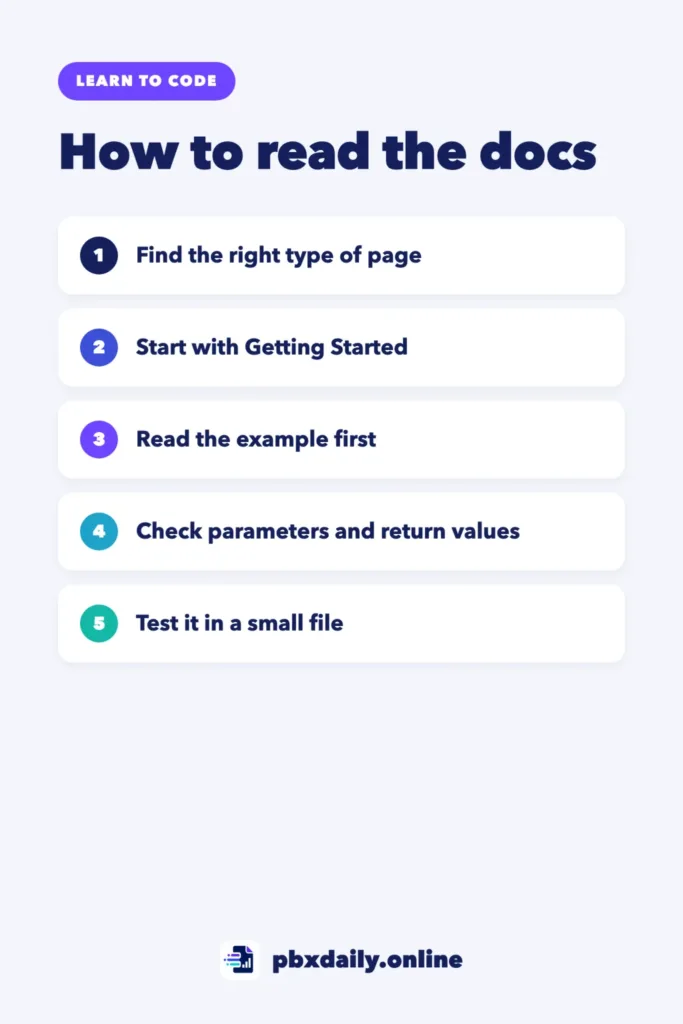
Use these steps whenever you open docs for a new language, library or tool.
Start With “Getting Started”
Most documentation has a Getting Started, Quick Start or Tutorial section. Do it first, even if it seems basic. It shows you how the tool is installed, the main concepts and the vocabulary the rest of the docs will use.
Search, Don’t Scroll
After the basics, use the site’s search or your browser’s find (Ctrl+F or Cmd+F) to go straight to what you need. Searching the web works too: add the tool’s name and the word “docs,” such as “array map MDN.” If reading docs in English still feels slow, our guide on whether you need English to learn programming has a plan for moving to English docs step by step.
Read the Example First
Examples are often the fastest way in. Look at a short example, guess what it does, then read the explanation to confirm. Many docs have an interactive “Try it” box where you can change the code and see the result.
Read the Signature and Parameters
The syntax line, sometimes called the signature, shows how to call something and what it accepts. Then the parameters section explains each input. Focus on the required ones first. Optional parameters are usually shown in brackets or marked as optional, and you can often ignore them at first.
Check Return Values and Errors
Find out what you get back and what happens when something goes wrong. Many beginner bugs come from assuming a function changes the original data when it actually returns something new, or the other way around.
Test It in a Small File
Copy the example into a new file or your browser’s console, run it and change one thing at a time. If you can predict the result before running it, you understand it.
Walkthrough: Reading an MDN Reference Page
Let’s go back to the opening example. The MDN page for Array.prototype.map() is a reference page. Here’s how to read it in a few minutes:
- The first sentence. It says
map()creates a new array with the results of calling a function on every element. That’s the key idea: same length, new array. - “Try it.” Run the interactive example and change the function to see what happens.
- Syntax. It shows
map(callbackFn)andmap(callbackFn, thisArg). The second form has an extra optional argument you can skip for now. - Parameters.
callbackFnis the function to run for each element. It receives the element, its index and the whole array. Most of the time you’ll only use the element. - Return value. A new array. The original array isn’t changed by
map()itself. - Examples. Skim the headings and read the one closest to your problem.
- Browser compatibility. A quick check that it works where your code will run.
Then test what you learned:
const prices = [10, 25, 40];
const withShipping = prices.map((price) => price + 5);

console.log(withShipping); // [15, 30, 45]
console.log(prices);  // the original array is unchanged
You didn’t need the sections about sparse arrays or thisArg to solve the problem. That’s normal. Come back to them when you need them.
The same pattern works on almost any reference page, in any language: one-sentence summary, example, syntax, parameters, return value, then your own test. Python’s official docs, the Git reference and most library sites follow a similar structure, even if the headings have different names. Once you’ve read three or four pages this way, you’ll start scanning for those sections automatically.
Reading a README and Library Docs
For libraries and projects on GitHub, the README is usually the front door. Read it in this order: what the project does, how to install it, a basic usage example and where the full documentation lives. Check the date of the last release or commit to make sure the docs match the version you’re using. If you’re new to repositories, our guide to Git and GitHub for beginners explains the basics.
Also check which version of the docs you’re reading. Many libraries keep docs for older versions, and code from the wrong version is a common source of confusing errors.
When to Stop Reading and Ask
Documentation can’t answer every question. Move on when:
- You’ve tried the example and a small variation, and it still doesn’t behave as described.
- The error you get isn’t mentioned anywhere in the docs. Use the method in our guide to debugging for beginners to narrow it down first.
- You’ve spent about 20 to 30 minutes on the same question without progress.
Then ask in the project’s forum or community, search the exact error message or ask an AI assistant to explain the page. If you use AI, ask it to explain the docs rather than write the solution, as we describe in how to learn to code with AI.
Reading Documentation: Frequently Asked Questions
How do I get better at reading documentation?
Practice on small problems. Each time you’d normally search for a video, open the official docs first and give yourself ten minutes. Read the example, test it and look up only what you need. After a few weeks, the structure of docs pages becomes familiar and much faster to scan.
Should I read docs or watch tutorials?
Both, at different times. Tutorials are good for your first contact with a topic. Documentation is better for details, current information and solving specific problems. If you notice you can’t build anything without a video, read our guide on how to escape tutorial hell.
What if the documentation is bad?
Some docs are incomplete or outdated. When that happens, look for the project’s examples folder, its tests, its issue tracker and its changelog. These often show how the code is really used. If you find a gap, opening an issue or suggesting an edit to the docs is a good way to start contributing to a project.
Sources
- Diátaxis: A systematic approach to technical documentation
- MDN Web Docs: Array.prototype.map()
Your Next Step
Knowing how to read technical documentation is a habit more than a talent. Pick one function or command you used this week, open its official reference page and go through it with the steps above: example, syntax, parameters, return value, then a test in a small file. If you’re still at the start of your path, our guide to learning HTML, CSS and JavaScript in the right order shows which docs to open first.

Luiz Loiola is a digital strategist and the founder of PBX Daily. He writes about technology, programming, artificial intelligence, freelancing, remote work, career change, and online income, helping beginners and professionals build practical digital skills, create new career opportunities, and compete in the global online market.