
Your weather app works. The AI wrote most of it, you fixed a couple of errors, and it’s live. Then a recruiter sends a short coding test with no AI allowed, and you stare at an empty editor. You’ve built three projects this way, but you can’t write a loop from memory.
You can learn to code with AI and still build real skills. The difference is in how you use it: as a tutor that explains and gives hints, not as a ghostwriter that hands you finished code. This guide covers what the research says, a simple rule for when to ask AI, ready-to-use tutor prompts, what not to hand over while you’re learning and a weekly test to check that you can code on your own.
What the Data Says About AI and Learning to Code
AI tools are already part of how most developers work. In the 2025 Stack Overflow Developer Survey, 84% of respondents said they use or plan to use AI tools in their development process. The same survey shows why skill still matters:
- More developers distrust the accuracy of AI output (46%) than trust it (33%).
- The most common frustration, cited by 66%, is AI solutions that are “almost right, but not quite.”
- 45% said debugging AI-generated code is more time-consuming.
- 20% said they’ve become less confident in their own problem-solving.
Someone has to notice when the code is almost right. That someone needs to understand it.
A randomized trial published by Anthropic in January 2026 looked at learning directly. Fifty-two mostly junior developers learned a Python library they hadn’t used before, some with an AI assistant and some without. On a quiz right after the task, the AI group averaged 50% and the hand-coding group 67%. The biggest gap was in debugging questions, and the AI group wasn’t significantly faster.
The useful part is what separated high scorers from low scorers within the AI group. People who let AI write the code or fix their errors scored lowest. People who used it to ask conceptual questions, request explanations or check their understanding scored much better. The study was small and measured short-term learning only, but the pattern matches what many teachers see: the effort of getting stuck and working it out is a big part of how you learn.



The Rule: Try First, Ask Second
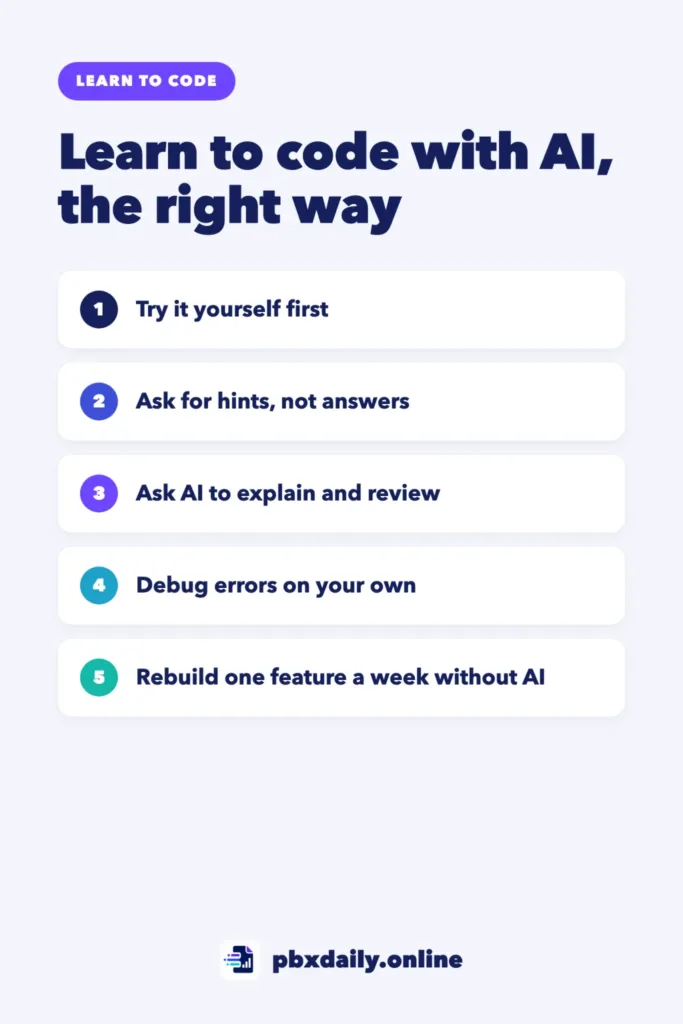
Before you ask AI anything, spend a set amount of time trying on your own. Fifteen to twenty minutes is a reasonable starting point. During that time:
- Write down what you’re trying to do in one sentence.
- Write some code, even if it’s wrong.
- Read the error message and look up the part you don’t understand in the official documentation.
If you’re still stuck, now you have something specific to ask about. “Here’s my code, here’s the error, here’s what I think is happening” leads to a much better conversation than “write a function that does X.”
How to Use AI as a Tutor, Not a Ghostwriter
The same AI can teach you or do your homework. What changes is the request. Some AI tools also offer a study or learning mode built for this, so check whether yours has one. These four uses keep you learning.
Ask for Explanations
When you see code you don’t understand, in a tutorial or in an AI answer, ask what each part does and why.
Explain this code line by line as if I've been learning JavaScript
for two months. Don't rewrite it. After the explanation, ask me
one question to check that I understood.

[paste the code]
Ask for Hints, Not Answers
This is the most useful habit to build. Tell the AI clearly that you don’t want the solution.
I'm learning to code. Don't give me the solution or write code.
Here's my attempt and the error I get. Give me one hint about where
to look. If I'm still stuck after that, I'll ask for a second hint.

[paste your code and the error]
Ask It to Review Your Code
Once your code works, ask for feedback instead of a rewrite.
Review my code like a senior developer reviewing a junior's pull
request. List up to three problems, ordered by importance, and
explain why each one matters. Don't rewrite the code. I'll fix it
myself and show you the new version.

[paste the code]
Ask for Practice Exercises
AI is good at creating practice at your level.
I just learned about arrays and loops in JavaScript. Give me five
small exercises, from easy to harder, without solutions. When I
send my answer to one, tell me if it's correct and what to improve.
What Not to Hand to AI While You’re Learning
Some skills only grow when you do the work yourself. In your first months, keep these mostly for you:
- Basic logic. Loops, conditions and functions are the foundation for everything else. Write them by hand until they feel easy.
- Reading error messages. Read the whole message and find the file and line before asking anyone. Our guide to debugging for beginners walks through a simple method.
- Debugging. The Anthropic study found the biggest gap here. When AI fixes your bug, you lose the practice of finding it.
- Breaking a problem into steps. Plan your approach on paper before you ask for any code.
Using AI for boilerplate, setup steps or explaining a confusing concept is fine. The question to ask yourself is simple: if this tool disappeared tomorrow, could I do this part myself?
A Weekly Plan to Learn to Code With AI
Here’s a simple structure for about an hour a day that mixes AI help with practice on your own. Adjust it to your schedule.
- Monday to Wednesday: learn one new concept from a course or documentation. Do the exercises without AI. Use AI only for hints or explanations after you’ve tried.
- Thursday: ask AI for practice exercises on what you learned this week and solve them on your own.
- Friday: work on your own project. Use AI to review your code, not write it.
- Weekend: one short session for the test in the next section.
If you feel like you’re always following instructions without building anything, read our guide on how to escape tutorial hell. Copying from AI can turn into the same trap.
Test Your Skills Without AI
Once a week, check what you actually know:
- Rebuild one feature from scratch. Pick something you built with help this week, close the AI tool and write it again in a new file. Documentation is allowed.
- Explain your code out loud. Go through a file from your project and explain each part as if to an interviewer. If you can’t explain a line, that’s what to study next.
- Write down what you couldn’t do. Keep a short list. It becomes your study plan for the next week.
This takes about thirty minutes and shows you the gaps before an interview does. When you learn to code with AI, this weekly check is what keeps the tool from quietly doing your learning for you.
Using AI on Portfolio Projects
Using AI on your projects is normal, and many companies expect it. What matters is that you understand everything you show. In an interview, you’ll be asked why you made certain choices and how a part works. “The AI wrote that part” isn’t a good answer.
Before a project goes in your beginner developer portfolio, read every file, rewrite any part you can’t explain and be ready to describe one problem you solved yourself.
Learning to Code With AI: Frequently Asked Questions
Can I learn to code with ChatGPT?
Yes, as a tutor alongside a structured course or documentation. It’s helpful for explanations, hints and practice exercises. It works poorly as your only teacher, because it can be confidently wrong and it can’t tell whether you’re actually learning. Pair it with a course and with regular practice without AI.
Is learning to code still worth it with AI?
AI writes more code every year, but someone still needs to check it, fix it and decide what to build. The Stack Overflow data shows most developers don’t fully trust AI output. Those checking skills come from knowing how to code. Learning now means learning to code well and to work with AI, not one or the other.
Which AI tool should a beginner use?
The specific tool matters less than how you use it. A general chat assistant is enough for explanations and hints. If your tool offers a study or learning mode, try it. Avoid tools that write large amounts of code automatically in your editor until you’re comfortable writing that code yourself.
Sources
- Stack Overflow: 2025 Developer Survey, AI section
- Anthropic: How AI assistance impacts the formation of coding skills (January 29, 2026)
Your Next Step
Open your AI tool and save the “hints, not answers” prompt above so it’s ready for your next study session. Then pick one feature you built with AI this month and rebuild it without help this weekend. If you’re still choosing what to learn first, start with our guide to learning HTML, CSS and JavaScript in the right order.

Luiz Loiola is a digital strategist and the founder of PBX Daily. He writes about technology, programming, artificial intelligence, freelancing, remote work, career change, and online income, helping beginners and professionals build practical digital skills, create new career opportunities, and compete in the global online market.