
Your first client call went well. They asked for “a simple site, just a few pages,” and you quoted a fair price. In the second week, they asked if visitors could book appointments online. Then they wanted a blog. Then a small store. The work kept growing and the price stayed the same.
Most scope and price problems start in that first conversation, before you write a single line of code. Below are 20 questions to ask a client before building a website, in five blocks, with what each answer changes in the project. You’ll also get a questionnaire to copy and the red flags to watch for.
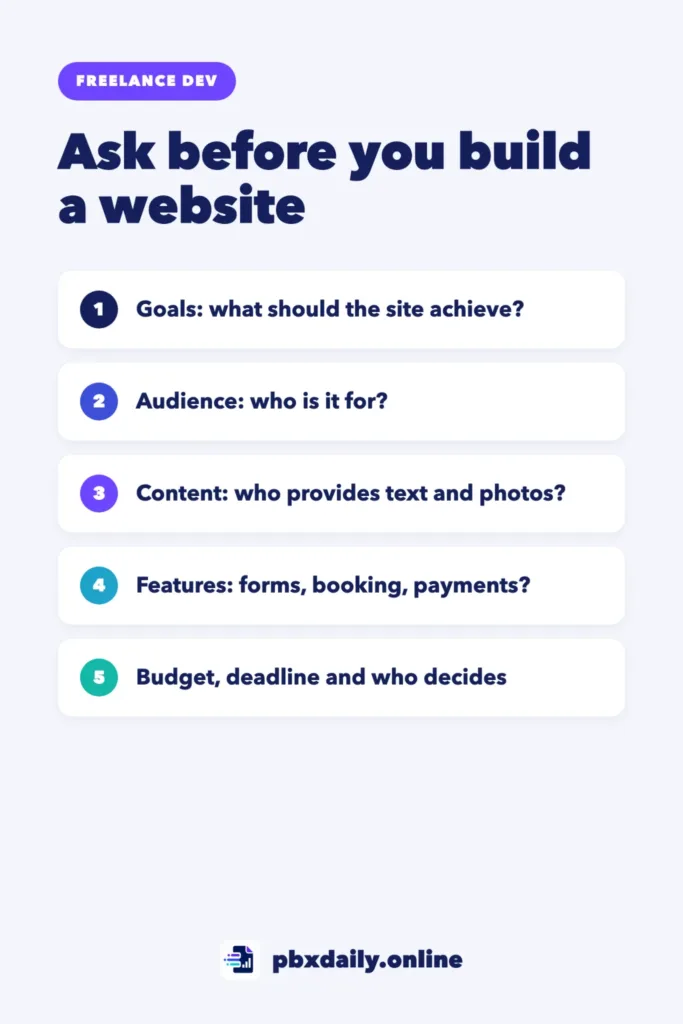
When to Ask These Questions
Ask them in your first real conversation about the project, after the client shows interest and before you send a price. The answers are the raw material for your proposal. If you’re still looking for that client, start with our guide on how to get your first freelance web development client.
Don’t read all 20 in a row like an interview. Let the client talk, check off what they answer on their own and ask the rest at the end. Note their exact words, because you’ll reuse them when you write a freelance proposal that gets replies.
Goals and Audience
Start here. Without knowing what the site is for, you can’t judge the other answers.
- What should the website do for your business? Why it matters: “get more phone calls” and “sell products online” are two very different projects.
- Who are your main visitors, and what do they need to find quickly? Why it matters: this tells you which pages and buttons come first.
- How will you know the site is working? Why it matters: a clear goal, such as more contact requests, gives you both a way to judge the result.
- Do you already have a website, a domain or hosting? Why it matters: an existing site means moving content and getting account access. No domain or hosting means someone has to set them up and pay.
- Which websites do you like, and why? Why it matters: examples show expectations the client can’t easily put into words.
Content and Pages
Many small projects stall here: the code is ready, but the text and photos never arrive.



- Which pages do you need? Why it matters: the page list is the base of your scope. Even a rough list is better than “a few pages.”
- Who will write the text? Why it matters: if the client expects you to write it, that’s extra work with its own line in the price.
- Who will provide the photos, logo and other images? Why it matters: missing images delay the launch, and finding or editing them takes time.
- Who will update the site after launch, and how often? Why it matters: a client who edits pages alone needs a simple setup and a short training session.
Features and Integrations
This block hides the biggest surprises. One word like “booking” can double the work.
- What should happen when someone contacts you? Why it matters: a form that sends an email is quick. One that saves leads or sends automatic replies is not.
- Do customers need to book appointments online? Why it matters: booking means calendars, reminders and cancellations, usually through an external tool you must set up and test.
- Will you accept payments or sell anything on the site? Why it matters: payments add a checkout, legal pages and careful testing. It’s often a separate project.
- Do you need to connect tools you already use, like an email list or a calendar? Why it matters: each connection needs access, setup and testing, and the client has to give you that access.
Design and Brand
These protect you from endless “can we try another version?” requests.
- Do you have a logo, colors and fonts you already use? Why it matters: an existing brand saves time. No brand means design decisions someone has to make.
- How should visitors feel when they open the site? Why it matters: words like “calm,” “fun” or “professional” give you a direction before you build anything.
- How many design options and revision rounds do you expect? Why it matters: a client expecting three mockups and unlimited changes has a different project in mind.
Budget, Timeline and Decisions
Beginners skip these because they feel awkward, but they save the most trouble.
- Do you have a budget range in mind? Why it matters: it tells you early whether the project fits, so you can adjust the scope instead of the quality.
- When do you need the site live, and is that date fixed? Why it matters: a fixed date, such as an event or a product launch, may mean fewer features in the first version.
- Who will approve the design and the final site? Why it matters: if someone who never joins the calls has the final word, expect late changes.
- Who will be my main contact, and how quickly can they usually reply? Why it matters: your timeline depends on their feedback. Slow replies push every date back.
How the Answers Change Scope and Price
These answers change the project the most:
| If the client says… | What changes in scope | What it does to the price |
|---|---|---|
| “Can you write the text too?” | Writing becomes a deliverable | Add writing hours, or list it as not included |
| “We don’t have photos.” | Finding, buying or editing images | Add hours; image costs paid by the client |
| “We want online booking.” | Setting up and testing a booking tool | Price it as a separate feature |
| “We’d like to sell a few products.” | Checkout, legal pages and more testing | Often a separate project or a second phase |
| “We don’t have a logo.” | Basic brand decisions before design | Add a design line or suggest a designer |
| “My partner will decide.” | More review rounds and late changes | Limit revision rounds in writing |
| “We need it in two weeks.” | A smaller first version | Cut scope, or add a rush fee if you can deliver |
Once you know what’s in and what’s out, turn each item into tasks and hours with the method in how to price your first freelance web project. Anything you leave out goes in the “not included” line of your proposal.
Questions to Ask a Client Before Building a Website: Copy-Ready List
Copy this into a document, replace the brackets and keep it open during the call:
Website questions for [client name]

Goals and audience
1. What should the website do for your business?
2. Who are your main visitors, and what do they need to find quickly?
3. How will you know the site is working?
4. Do you already have a website, a domain or hosting?
5. Which websites do you like, and why?

Content and pages
6. Which pages do you need?
7. Who will write the text?
8. Who will provide the photos, logo and other images?
9. Who will update the site after launch, and how often?

Features and integrations
10. What should happen when someone contacts you?
11. Do customers need to book appointments online?
12. Will you accept payments or sell anything on the site?
13. Do you need to connect tools you already use?

Design and brand
14. Do you have a logo, colors and fonts you already use?
15. How should visitors feel when they open the site?
16. How many design options and revision rounds do you expect?

Budget, timeline and decisions
17. Do you have a budget range in mind?
18. When do you need the site live, and is that date fixed?
19. Who will approve the design and the final site?
20. Who will be my main contact, and how quickly can they reply?
After the call, send a short summary of the answers and ask the client to confirm it. Misunderstandings are cheap to fix at this stage.
Red Flags in the Answers
Some answers say more than the client intends:
- “Just make something simple, you decide.” Clients who don’t say what they want often know what they don’t want, after you’ve built it. Ask for examples first.
- “Like [a famous brand’s site], but quick.” Big sites come from big teams. Agree in writing on what the first version includes.
- A decision maker you never meet. Ask to include that person in one call, or at least in the design approval.
- “We’ll send the content later,” with no date. Tie your delivery date to the date you receive the content.
- “It’s a small thing, it won’t take long.” Hear this about a big feature early? Expect it again later.
One red flag doesn’t mean you should walk away. It means that point needs a clear line in your proposal.
Client Questions: Frequently Asked Questions
What do I need to know before building a website for a client?
At minimum: what the site should achieve, who it’s for, which pages and features it needs, who provides the text and images, the budget range, the deadline and who approves the work. If any of these is missing, ask before you send a price. Guessing now usually means extra unpaid work later.
Should I send a form or ask on a call?
Use both. A written form helps clients who like to think first, especially across time zones or languages. A call lets you ask follow-up questions when an answer is vague. A good routine is to send the questionnaire first, then use the call to clarify. Our guide on how to communicate with international clients has useful phrases.
What if the client doesn’t know their budget?
That’s common with first-time clients. Offer two or three options with different scopes, such as a one-page site, a small site with a contact form and a larger version with booking. The way they react to each option shows you the range they have in mind, even if they never say a number.
Your Next Step
Copy the questionnaire into a document today. Before your next client call, read it once and mark the five questions you’re most likely to forget. After the call, use the answers to fill in the scope section of your proposal.

Luiz Loiola is a digital strategist and the founder of PBX Daily. He writes about technology, programming, artificial intelligence, freelancing, remote work, career change, and online income, helping beginners and professionals build practical digital skills, create new career opportunities, and compete in the global online market.