
You finished your first website and it works. But it only opens at an address like localhost:5500 on your own computer, so nobody else can see it. You can’t put that on your resume or send it to a recruiter.
Learning how to deploy a website for free takes an afternoon, not a course. This guide compares four free options for static sites built with HTML, CSS and JavaScript, shows the simplest path without Git and ends with a checklist for before you share the link.
What “Deploying” a Static Website Means
Deploying means copying your site’s files to a server that is always online and has a public address. In a static site, the browser receives the same files you wrote: HTML, CSS, JavaScript and images, with no database or server code behind them.
That’s why static sites are easy to host for free. The services below give you a free address, such as yourname.github.io or yourproject.netlify.app. When you change the site, you deploy again.
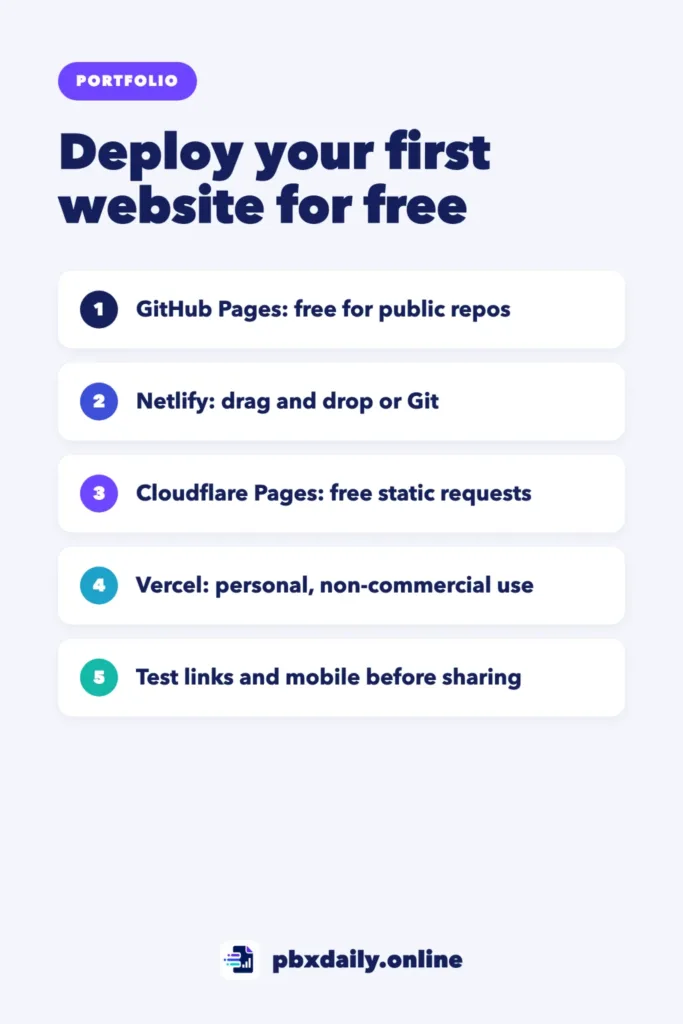
4 Free Options Compared
All four can host a static portfolio at no cost. Every figure below comes from official pages checked on October 11, 2026. Free plans change often, so confirm before you decide.
| Option | Best for | How you deploy | Key free-plan limits | Custom domain | Commercial use on the free plan |
|---|---|---|---|---|---|
| GitHub Pages | People who already use Git and GitHub | From a GitHub repository | Public repositories only; site up to 1 GB; soft limit of 100 GB bandwidth per month | Yes | Not for online businesses, e-commerce or commercial software |
| Netlify | Beginners who want to drag a folder | Drag and drop, Git or command line | 300 credits per month; each production deploy uses 15 | Yes, with SSL | Not stated on the pricing page |
| Cloudflare Pages | Sites that may get a lot of traffic | Drag and drop, Git or command line | 500 builds per month; 20,000 files; 25 MiB per file; static requests unlimited | Yes, up to 100 per project | Not stated on the limits page |
| Vercel | Projects that use a JavaScript framework | Git, drag and drop or command line | 100 GB data transfer and 1,000,000 CDN requests per month; 100 deployments per day | Yes, up to 50 per project | No, personal non-commercial use only |
GitHub Pages
GitHub Pages publishes the files in a GitHub repository as a website. On GitHub Free it works with public repositories, and your site lives at username.github.io or username.github.io/repository-name. GitHub describes it as a way to host a website about yourself or your project, which is exactly what a portfolio is.



As of October 2026, GitHub lists a 1 GB maximum for published sites, a soft bandwidth limit of 100 GB per month and a soft limit of 10 builds per hour. Pages isn’t meant for an online business, an e-commerce site or commercial software. Our guide to Git and GitHub for beginners covers the setup and links to GitHub’s Pages quickstart.
Netlify
Netlify lets you drag a folder into your browser, connect a Git repository or use its command-line tool. The Free plan includes 300 credits per month with a hard limit, so you’re never charged. Accounts created before September 4, 2025 may be on older plans with different rules.
Each production deploy (the version on your main address) uses 15 credits, bandwidth uses 20 credits per GB and web requests use 2 credits per 10,000. Twenty production deploys alone would use all 300. If you run out, Netlify pauses all your projects until the next billing cycle, so deploy changes in batches, not after every small fix.
Cloudflare Pages
Cloudflare Pages accepts a Git repository, a folder or zip file dragged into the dashboard or an upload from its Wrangler command-line tool. Your site gets an address ending in pages.dev, and requests to static files are free and unlimited.
As of October 2026, the Free plan allows 500 builds per month, up to 20,000 files per site and 25 MiB per file. Drag and drop has a lower limit of 1,000 files, and a project created that way can’t be switched to Git later. Cloudflare’s Pages docs now recommend starting new projects with Workers, its main platform, but Pages still accepts new projects.
Vercel
Vercel builds framework projects for you and also deploys plain static files. You can import a Git repository, use the Vercel CLI or drag a folder onto Vercel Drop. As of October 2026, the free Hobby plan includes 100 GB of data transfer and 1,000,000 CDN requests per month, plus 100 deployments per day. Go over a limit and you usually wait 30 days to use that feature again, with no option to buy extra usage.
The key rule: Hobby is for personal, non-commercial use only. Vercel counts ads (including Google AdSense), selling products or services and being paid to build or host the site as commercial. A personal portfolio fits. A paying client’s site doesn’t.
How to Deploy a Website for Free, Step by Step
If you don’t use Git yet, Netlify Drop is the shortest path. These steps follow Netlify’s docs as of October 2026.
- Prepare one folder. Put all your files in a single folder, with the homepage named
index.htmlat the top level. If your project is a zip file, unzip it first. - Log in. Create a free account at app.netlify.com. You can drop files without one, but the site then stays behind a temporary password until you claim it.
- Drag the folder. Go to app.netlify.com/drop and drag the folder into the drop zone.
- Find your address. When the upload finishes, Netlify shows a URL ending in
netlify.app. - Make it public. On teams created on or after July 28, 2026, new projects start private, so only you can see them. Select Make public. In the same step you can rename the project, which changes your
netlify.appaddress. - Test it logged out. Open the link in a private browser window. If Netlify says you don’t have access, the project is still private.
To update the site, open the project in your dashboard and drag the new folder onto the drop area under Production deploys. Netlify says deploys under 50 MB work best and files over 10 MB may get stuck, so compress large images.
Vercel Drop (vercel.com/drop) and Cloudflare’s dashboard upload follow the same pattern: sign in, drag the folder, name the project and deploy.
Add a Custom Domain (Optional)
For a portfolio, the free address is enough. A custom domain like yourname.com looks more polished, and all four services let you connect one on the free plan.
The domain itself isn’t free. You rent it from a registrar for a yearly fee that depends on the extension, so compare renewal prices, not only first-year offers. Then:
- Add the domain in your host’s settings.
- At your registrar, create the DNS records your host shows you. GitHub Pages, for example, uses a CNAME record for a
wwwaddress and A, ALIAS or ANAME records for the root domain. - Wait for the change to take effect, then check that the site loads at the new address.
One safety tip from GitHub: verify your domain and, if you take the site down, remove the DNS records. Otherwise someone else could host a site on your address.
Checklist Before You Share the Link
- Every link works. Click each link on the live site. File names can be case-sensitive online, so
About.htmlandabout.htmlmay be different files. - Images load. Use relative paths such as
images/photo.jpg, not paths to folders on your computer. - It works on a phone. Check text size, the menu and sideways scrolling on a real phone.
- The tab title is clear. Replace “Document” in the
<title>tag with your name or the project name. - There’s a favicon. Add a tab icon with a
<link rel="icon">tag so the site looks finished. - The README links to the live site. Put the link at the top of the repository’s README. Our guide to writing a GitHub README for portfolio projects shows what else to include.
Our guide on what to include in a beginner developer portfolio shows where the link fits.
Free Website Hosting: Frequently Asked Questions
Is free hosting good enough for a portfolio?
Yes. A static portfolio is small, and the free plans checked in October 2026 allow plenty of traffic for one, such as GitHub Pages’ soft limit of 100 GB per month. Watch the rules instead: Vercel’s free plan is non-commercial only, and Netlify pauses your projects if you use up its 300 monthly credits.
Can I use my own domain for free?
All four free plans let you connect your own domain at no extra cost, but you pay a registrar a yearly fee for the domain itself. If you don’t want that cost yet, use the free address your host gives you, such as a github.io or pages.dev address.
Do I need to know Git?
No. Netlify, Cloudflare Pages and Vercel all let you upload a folder from your browser. GitHub Pages publishes from a GitHub repository, so it fits better once you use Git. Learning Git is still worth it: with a connected repository, each push can update your site automatically.
Can I host a backend for free?
Partly. GitHub Pages only hosts static files. Netlify, Cloudflare and Vercel include serverless functions on their free plans, within usage limits. Cloudflare, for example, counts Pages Functions against a Workers Free quota of 100,000 requests per day. Start small, such as a contact form, and check the limits first.
Sources
- GitHub Docs: GitHub Pages limits
- GitHub Docs: What is GitHub Pages?
- GitHub Docs: About custom domains and GitHub Pages
- Netlify: Pricing and Plans
- Netlify Docs: How credits work
- Netlify Docs: Netlify Drop Quickstart
- Netlify Docs: Project visibility
- Cloudflare Docs: Cloudflare Pages limits
- Cloudflare Docs: Direct Upload
- Cloudflare Docs: Pages Functions pricing
- Vercel: Pricing
- Vercel Docs: Hobby Plan
- Vercel Docs: Fair use guidelines
- Vercel Docs: Deploying with Vercel Drop
Your Next Step
Pick one option and deploy your best project today, even if it isn’t perfect. Run the checklist, then add the live link to your README and portfolio. If you need a project worth deploying, start with our portfolio project ideas for beginners.

Luiz Loiola is a digital strategist and the founder of PBX Daily. He writes about technology, programming, artificial intelligence, freelancing, remote work, career change, and online income, helping beginners and professionals build practical digital skills, create new career opportunities, and compete in the global online market.