
A teammate left a comment on your pull request. You understood it right away: they want you to move a function into a separate file. Then you spent 20 minutes deciding how to reply, rewrote “Ok, I will do it” three times and still weren’t sure it sounded right.
That freeze is common, and the fix is smaller than you think. English for software developers isn’t a whole new language to master. It’s a short list of situations that repeat every week: standups, code reviews, pull requests, interviews and questions to your team. Learn the right phrases for each one and you’ll sound clear and professional long before you feel fluent.
Why Team English Is Different From Client English
Talking to clients and talking to your team are different jobs. With clients, you explain progress in plain language, manage expectations and avoid jargon. We covered that in our guide on how to communicate with international clients.
With your team, the goal is speed and precision. Your teammates know the codebase, so you can use technical words freely. What they need is short messages that say exactly what changed, what’s blocked and what you need from them.
Most team English is also written, in pull requests, chat and issue trackers. That gives you time to check before you send.
Phrases for Daily Standups
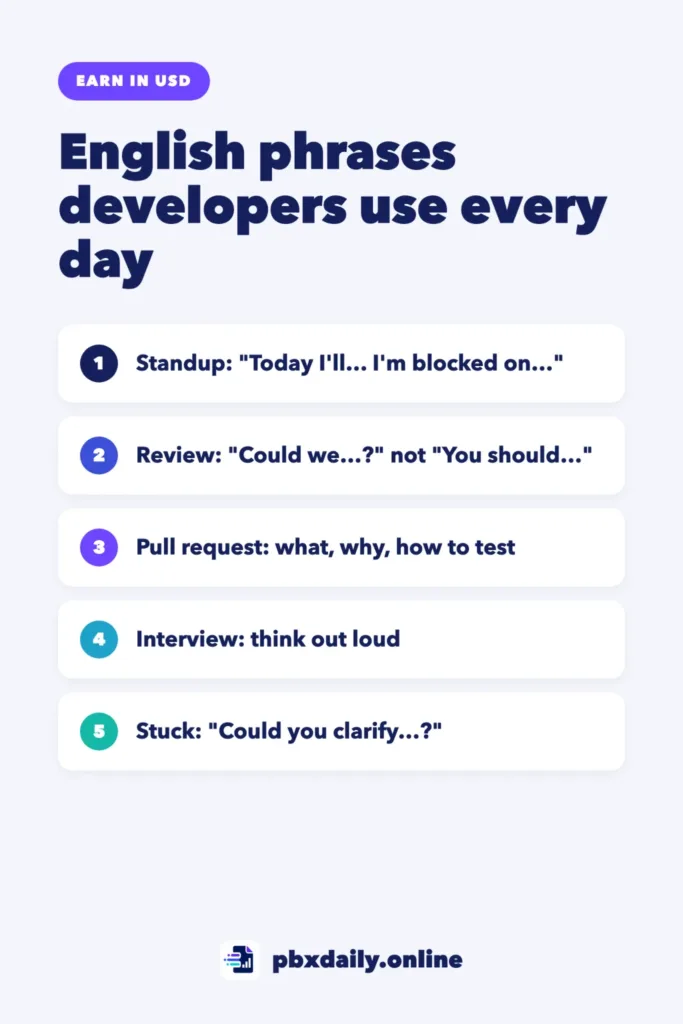
A standup usually answers three questions: what you did yesterday, what you’ll do today and whether anything is blocking you. Keep each answer to one or two sentences.



| Part | Phrase you can adapt |
|---|---|
| Yesterday | “Yesterday I finished the login form and opened a pull request for it.” |
| Yesterday (not finished) | “I worked on the payment bug. I found the cause, but I haven’t fixed it yet.” |
| Today | “Today I’m going to write tests for the search feature.” |
| Blocker | “I’m blocked on the deploy. I need access to the staging server. Could someone help me after the meeting?” |
| No blockers | “No blockers for me.” |
| Long topic | “That might take a while. Can we discuss it after the standup?” |
The last phrase is worth remembering. Standups are short by design, so moving a long discussion elsewhere is normal and polite.
Phrases for Code Reviews
Code review comments are short, but tone matters. A direct comment that sounds fine in your first language can sound rude in English, especially in writing. The easiest fix is to phrase suggestions as questions or options.
Giving Feedback
- “What do you think about moving this into a helper function?”
- “Could we rename this variable to something more specific, like
activeUsers?” - “I might be missing something, but does this handle an empty list?”
- “Optional: we could use
maphere instead of the loop.”
Receiving Feedback
- “Good catch, thanks. Fixed in the latest commit.”
- “I chose this approach because [reason]. Happy to change it if you prefer the other option.”
- “I’m not sure I understand. Could you show me an example?”
- “Can we handle that in a separate pull request? It’s outside the scope of this one.”
You don’t need to apologize for every comment. “Fixed, thanks” is a complete and professional reply.
Common Abbreviations
You’ll see these short forms in many teams. Here’s what they usually mean:
| Abbreviation | Meaning | How it’s used |
|---|---|---|
| LGTM | Looks good to me | An approval. The reviewer is happy with the change. |
| nit | Nitpick | A small, optional suggestion about spacing or naming. You can usually fix it or skip it. |
| WIP | Work in progress | The code isn’t ready for a full review yet. |
| PTAL | Please take a look | A request for review, often after you push new changes. |
Every team has its own habits, so watch how your teammates use them first. If you’re not sure what one means, just ask.
Writing Pull Request Descriptions and Commit Messages
A good pull request description saves your reviewer time, and the structure does most of the work. If you’ve never opened one, GitHub Docs explains how pull requests work. Copy this template and fill in the blanks:
## What
Add a search bar to the products page.

## Why
Users asked for a faster way to find products (issue #42).

## How
- Add a SearchBar component
- Filter the product list as the user types
- Show a message when there are no results

## How to test
1. Open the products page
2. Type "shirt" in the search bar
3. Only shirts should appear in the list

## Notes
The search ignores uppercase and lowercase. Pagination is not included yet.
For commit messages, the Pro Git book recommends a short first line of about 50 characters, written in the imperative: “Fix bug”, not “Fixed bug” or “Fixes bug”. A few examples:
Add email validation to signup formFix crash when cart is emptyUpdate README with setup steps
The imperative is also easier for non-native speakers, because you don’t have to think about tenses. If commits and pull requests are still new to you, start with our guide to Git and GitHub for beginners.
Phrases for Technical Interviews
In a technical interview, silence is a bigger problem than grammar. Interviewers want to follow how you think. These phrases help you keep talking while you work. To prepare everything else, from time zones to contract questions, see how to prepare for a remote interview with a foreign company.
Asking Clarifying Questions
- “Before I start, can I ask a few questions about the input?”
- “Can the list be empty? Can it have duplicates?”
- “Should I focus on a working solution first, or on performance?”
- “Just to confirm, the function should return the index, not the value?”
Thinking Aloud
- “My first idea is to loop through the array and keep track of the largest number.”
- “This works, but it’s slow for large inputs. Let me think about a better approach.”
- “I’ll write a simple version first and improve it after.”
When You Don’t Know the Answer
- “I haven’t used that in a project, but here’s how I would approach it.”
- “I’m not sure, but my guess is that it’s related to caching. Am I close?”
- “I don’t remember the exact syntax, so I’ll write pseudocode and explain it.”
Saying “I don’t know” and then explaining how you’d find out is a good answer. Freezing in silence isn’t.
Asking for Help and Clarifying Requirements
Teams notice people who ask good questions. A clear question includes three things: what you’re trying to do, what happened and what you’ve already tried. Here’s a message you can adapt:
“Hi Ana, I’m working on the export feature and I get a 403 error when I call the reports API. I checked my token and tried a new one, but the error is the same. Do I need a special permission for this endpoint?”
A few more phrases for everyday questions:
- “Do you have five minutes to look at something with me?”
- “Just to make sure I understood: the button should be hidden for guests, not disabled?”
- “What should happen if the user leaves this field empty?”
- “Is this the expected behavior, or should I open a bug?”
If a task description is unclear, ask before you start, not after you’ve built it. Repeating the requirement in your own words is the fastest way to catch a misunderstanding.
How to Practice Every Week
You don’t need hours. Fifteen minutes on most weekdays is enough to build the habit:
| Day | 15-minute exercise |
|---|---|
| Monday | Pick five phrases from this guide and save them in a notes file you keep open while you work. |
| Tuesday | Write a standup update, then say it out loud twice. |
| Wednesday | Read three pull requests in an open source project on GitHub and save phrases you like. |
| Thursday | Write a pull request description for your latest project using the template above. |
| Friday | Solve one small coding problem out loud and record yourself. Listen for the moments you went quiet. |
For structured practice, try freeCodeCamp’s free A2 English for Developers course. It mixes everyday English with software topics like describing code and taking part in meetings, and it ends with a free certification exam. When it feels easy, freeCodeCamp also has a B1 English for Developers course for the next level.
English for Software Developers: Frequently Asked Questions
What English level do I need for a remote developer job?
There’s no single answer. It depends on the company, the role and how much the team works in writing or on calls. Focus on being clear in the situations above, not on sounding perfect. Our guide to remote jobs for non-native English speakers covers the job search side.
Is my accent a problem?
Usually not. Teams with people from many countries are used to hearing different accents. What matters is that people understand you. Speak a little more slowly, pause between ideas and confirm important points in writing after calls. If someone doesn’t understand, repeat the idea with simpler words instead of saying it faster.
How can I improve fast?
Practice the situations you’ll actually face. Write a real pull request description, give a standup update out loud and solve a coding problem while you talk. Short daily practice works better than one long session a week. Save the phrases that work for you and reuse them until they feel natural.
Sources
- freeCodeCamp: A2 English for Developers
- freeCodeCamp: B1 English for Developers
- Pro Git book: Contributing to a Project (commit guidelines)
- GitHub Docs: About pull requests
Your Next Step
Open your latest project and write a pull request description with the template above, even if you work alone. Then save the standup and code review phrases in a notes file. The next time a review comment makes you hesitate, you’ll have a reply ready in seconds.

Luiz Loiola is a digital strategist and the founder of PBX Daily. He writes about technology, programming, artificial intelligence, freelancing, remote work, career change, and online income, helping beginners and professionals build practical digital skills, create new career opportunities, and compete in the global online market.