
The interviewer says, “Could you show us something you’ve built?” You share your entire screen, and everyone sees your inbox and fifteen open tabs. You click around the home page and start reading the README out loud. Five minutes later, the interviewer still doesn’t know which part you built or why.
Knowing how to present your portfolio in an interview is a different skill from building it. Nobody wants a tour of everything you’ve made. They want one or two projects chosen for the role, explained clearly. This guide covers the format, choosing projects, a two-minute story, what to share on screen, a backup for the demo and the follow-up questions.
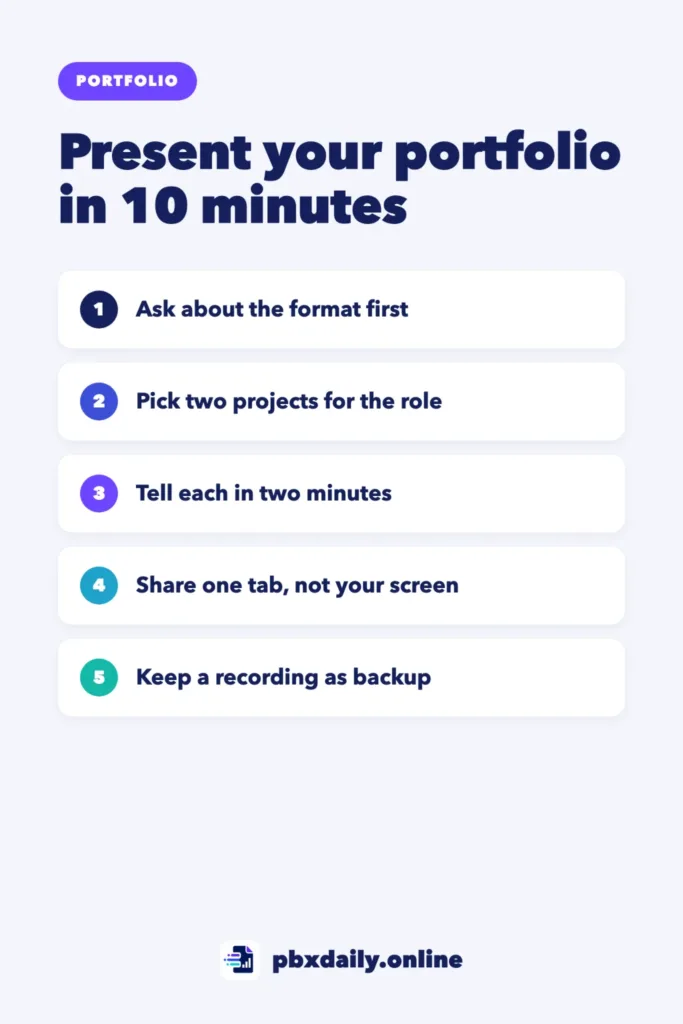
What Interviewers Want From a Portfolio Walkthrough
Interviewers are usually checking three things:
- What was your part? This matters most in group projects and tutorial-based projects.
- Why did you make your choices? Decisions show how you think.
- Can you explain technical work clearly? You’ll do it in standups, code reviews and demos.
They’re not counting projects. One clear walkthrough beats a fast tour of five.
Step 1: Ask What Format to Expect
“Show us your portfolio” can mean five minutes inside a normal interview or a separate presentation round. Ask the recruiter in writing:
"Could you tell me how much time I'll have to present my work,
and whether I might be asked to write code live?"
If the answer is vague, prepare a five-minute and a fifteen-minute version of the same project.



Step 2: Pick Two Projects for This Role
Bring one main project and one backup. The main one should use the same tools as the job description or solve a similar problem. The backup should show something different, such as an API or a set of automated tests if your main project is a front-end app.
Two is enough: the backup covers “Do you have anything else?” and a demo that stops working. If you’re still deciding what belongs in the portfolio itself, see our guide to the beginner developer portfolio.
Step 3: Turn Each Case Study Into a Two-Minute Story
If you’ve written a case study, you already have the material; our guide to the developer portfolio case study explains how to write one. For the interview, cut it to four spoken lines:
- Problem: who had it and why it mattered.
- Decision: one choice you made and why.
- Challenge: one thing that went wrong and how you fixed it.
- Result: what works now and one thing you’d improve.
Keep these as short notes, not a script. If you read full sentences, your voice goes flat and you stop looking at the camera.
Step 4: Plan Your Route Through the Screen
Decide your route before the call:
- The live demo, open where the main feature starts.
- One code file that shows the decision from your story.
- The README, only if they ask how to run it.
Open these as tabs, in that order, in one window with nothing else in it. Then share that tab or window, not your entire screen. Google Meet, for example, lets you present a tab, a window or your entire screen, and its help page recommends a specific tab or a new window for better presentations. Most meeting tools offer similar choices. In Meet, a shared Chrome tab also shares its audio by default, and on recent versions of macOS a permission prompt appears the first time you share, so test it the day before.
If you share only a tab, open your code on GitHub in a tab too. To show your editor, share its window and make the font bigger. Use fake demo data, never real customer details. For the rest of the setup, see our guide to preparing for a remote interview with a foreign company.
Step 5: Prepare a Plan B for the Demo
Live demos fail: an API stops responding or a login expires. Keep two backups on your computer:
- A recording: 60 to 90 seconds of the main feature.
- Screenshots: three or four key screens in one folder.
Some free hosting plans pause apps that sit idle, so open your demo ten minutes early. If something breaks, say so calmly and switch:
"The demo isn't loading right now, so let me show you a short
recording of the same flow."
Step 6: Rehearse Out Loud and Time It
Record yourself presenting with the same tabs. Watch it once, cut anything that isn’t problem, decision, challenge or result, and repeat until the story fits in about two minutes.
How to Present Your Portfolio in an Interview: A Sample Walkthrough
Here’s a two-minute walkthrough for a small booking app. The opening phrases are short and tell the listener what’s coming, which helps if English isn’t your first language.
"Let me share my screen. I'll share just this browser tab.

I'll start with the problem. My tennis club took bookings in a
group chat, and people often booked the same court twice. So I
built a web app where members pick a free slot and it locks
right away.

Here's the main flow. I pick Saturday at 10 a.m. and confirm.
In a second tab, the same slot now shows as taken.

The main decision was checking for double bookings on the
server, not only in the browser, because two people can click
at the same second. Let me show you that code.

This is the part I'm proudest of. When two requests arrive for
the same slot, only the first is saved, and the second person
sees a clear message.

The hardest part was time zones. Some bookings were saved one
hour off, so I stored every time in UTC and added a test for it.

Next, I'd add email reminders, because people still forget
their bookings.

That's the short version. Happy to go deeper into any part."
Notice the order: problem, demo, then code. The last sentence hands control back to the interviewer.
How to Answer Follow-Up Questions
Prepare for these:
- “Which part was yours?” Be exact: “The layout came from a course; I wrote the booking logic and tests.”
- “Why not [another tool]?” Give your real reason, even a simple one: “I knew this one and wanted to finish in two weeks.”
- “What would you change?” Name one concrete improvement. “Nothing” sounds like you never looked back.
- “Did you use AI?” Say where and how: “I used an AI assistant to explain an error and suggest test cases, then wrote and checked the final code.” Be ready to explain any line.
- A question you can’t answer: say you don’t know, then how you’d find out.
Adapting It for QA and Data Portfolios
QA: your demo is one bug report, from start to finish: what you tested, how you found the bug, the steps to reproduce it and why you chose that severity. Then show a test case that would catch it again. Our guide to a QA portfolio with no experience has templates for both.
Data: use question, result and recommendation. Show the one chart that answers the question, end with what you’d recommend and keep the SQL open in another tab for “How did you get this number?” Our data analyst portfolio guide shows projects that fit this format.
Mistakes That Weaken a Portfolio Presentation
- Touring every project. Two clear projects stay in memory; five blur together.
- Starting with the code. Without the problem first, the code has no context.
- Reading the README out loud. Explain your thinking instead.
- A demo with no plan B. A recording takes minutes to make.
- Hiding what went wrong. The challenge you solved is often the best part.
Sources
- Google Meet Help, Present during a video meeting (tab, window or entire screen; tab audio; macOS permission prompt), checked October 17, 2026.
Presenting Your Portfolio in an Interview: Frequently Asked Questions
How many projects should I show in an interview?
Show one in depth and keep a second one ready. One well-explained project is usually enough for a short segment. In a longer presentation round, use the second to show a different skill.
Should I start with the live demo or the code?
Start with the problem, then the demo, then the code. The demo shows what the project does in seconds, which makes the code easier to follow. Show only the file that supports your main decision unless they ask for more.
Do I need slides for a portfolio presentation?
Usually not. In a short segment, the project is your presentation. If the company asks for a formal presentation round, a few simple slides with the problem, your decisions and the result can help, but keep the project or recording as the main part.
Your Next Step
Write the four lines for your main project today, then record yourself presenting it and time it. For the other questions in the same interview, read our guide to career change interview questions. When an offer arrives, our guide on how to negotiate a remote job offer shows what to do next.

Luiz Loiola is a digital strategist and the founder of PBX Daily. He writes about technology, programming, artificial intelligence, freelancing, remote work, career change, and online income, helping beginners and professionals build practical digital skills, create new career opportunities, and compete in the global online market.