
You’ve built two projects, pushed the code to GitHub and saved five job listings you want to apply for. Then you open your resume: ten years of store management, a list of sales targets and not one line about the projects that prove your switch. Anyone reading it would see a store manager, not a junior developer.
A career change resume for tech doesn’t hide your past. It translates that past into the language of the new role and puts your proof above your old jobs. This guide shows the format that does both, a one-line summary formula with three examples and before and after lines for five common backgrounds.
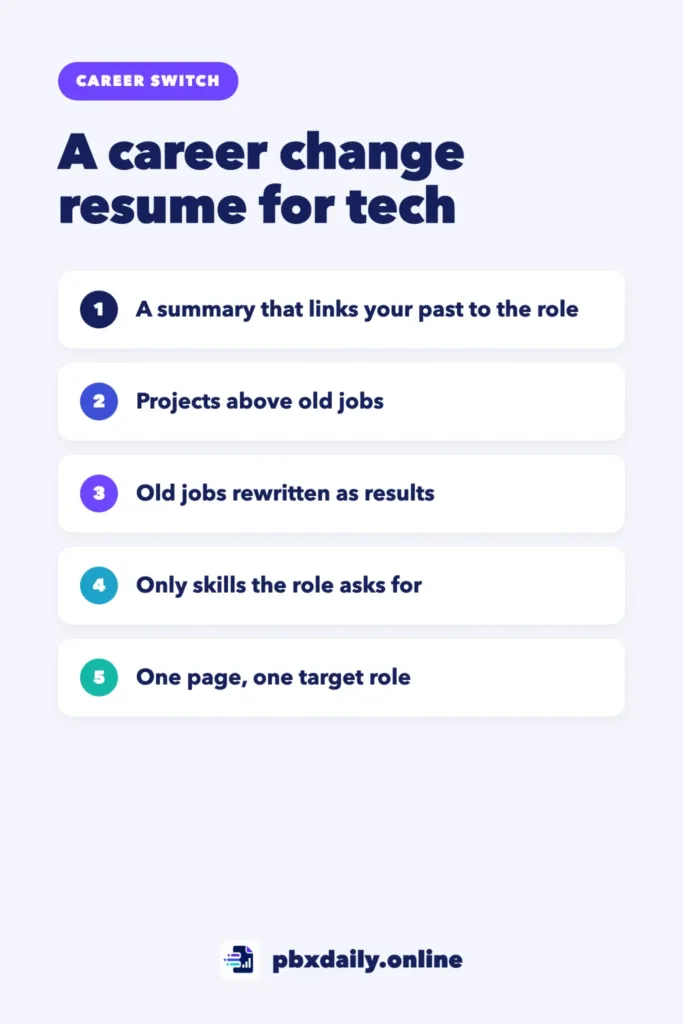
What a Career Change Resume for Tech Has to Do
A standard resume tells the story of one career. Yours has to connect two, and it needs to do three things in the top half of the page:
- Show the target role. The reader should know what job you want before they finish the first line. “Junior Front-End Developer” or “QA Analyst” at the top does that. “Seeking new opportunities” doesn’t.
- Show the proof. Projects with links are the evidence that you can do the work, not only that you studied it.
- Build the bridge to your past. Your old career shows how you work with customers, deadlines, teams and pressure. Written well, it makes you look more experienced than a new graduate, not less.
Order matters because most people skim a resume before they read it. If the target role and the proof sit at the top, the old career reads as a strength. If they sit at the bottom, the reader may never get there.
Still choosing a role? Start with our guide to entry-level tech jobs for career changers.
The Best Format: Summary, Projects, Then Experience
Most resumes use one of three formats. A chronological resume lists your jobs from newest to oldest, which puts your old career first. A functional resume groups skills by theme and hides dates, which often reads as if you’re hiding something. A hybrid resume (also called combination) keeps the clear timeline but opens with the skills and proof that matter for the new role.



For a career change into tech, use the hybrid format in this order:
- Header: name, city and country, email, LinkedIn and a GitHub or portfolio link.
- Summary: one or two lines that name the target role and connect it to your past.
- Projects: two or three, each with a link.
- Skills: the tools you used in those projects.
- Experience: your previous jobs, rewritten in the new role’s language.
- Education and training: degree, courses and certificates, kept short.
This order answers the reader’s questions in the sequence they ask them. What do you want? Can you do it? How do you work?
Write a Summary That Connects Your Past to the Role
The summary is the bridge in one sentence. Use this formula:
[Target role] with [number] years of [previous field] experience in [transferable strength], now [building, testing or supporting] [type of work] with [main tools].
Three examples:
- Retail to front-end development: “Junior front-end developer with 10 years of retail management experience leading teams and solving customer problems, now building responsive websites with HTML, CSS and JavaScript.”
- Administrative to QA: “QA analyst with 6 years of administrative experience in process control and accurate documentation, now testing web apps and writing clear bug reports.”
- Customer service to technical support: “Technical support specialist with 4 years of customer service experience resolving complex cases by phone and chat, now troubleshooting web apps and writing help articles.”
Use your own years, strengths and tools. Keep it under two lines and skip adjectives like “passionate”. Your projects show that better.
Put Projects Above Old Jobs
For a career changer, projects are the most important section: the only place the reader sees tech work you’ve already done. Give each project four parts:
- Problem: what it solves and for whom.
- Tools: the languages, frameworks or platforms you used.
- Result: what it does now, in one concrete line.
- Link: a live demo and the code.
Here’s how that looks on the page:
Shift Planner | HTML, CSS, JavaScript
Web app that builds a weekly staff schedule for a small store,
based on a problem I handled as a store manager.
Managers add staff and availability; the app flags uncovered
shifts and prints the final schedule.
Live: yoursite.com/shift-planner | Code: github.com/you/shift-planner
Notice the bridge: a project drawn from your old field shows both careers at once. If you need ideas, see our list of portfolio project ideas for beginners. To present them well, follow our guide to building a beginner developer portfolio, and make sure every linked repository explains itself with a clear GitHub README.
If you only have one finished project, list it and add the course work that supports it.
Career Change Resume Examples by Background
Your experience section stays, but each line should point toward the new role. The table shows one before and after line for five common backgrounds. The numbers are only examples, so use your own real figures.
| Background | Before | After |
|---|---|---|
| Retail | Managed store operations and staff. | Led a team of 8, trained new hires on the point-of-sale system and used weekly sales data in spreadsheets to plan stock and shifts. |
| Teaching | Taught math to high school students. | Planned a full-year course for classes of 30, breaking complex topics into step-by-step lessons and written guides. |
| Administrative | Handled office paperwork and scheduling. | Kept records for a team of 12 accurate and up to date, and built a shared spreadsheet that replaced paper requests. |
| Customer service | Answered customer calls. | Resolved billing and account issues by phone and chat, documented recurring problems and reported them to the product team. |
| Healthcare | Nurse responsible for patient care. | Followed strict protocols and checklists on a busy ward, recorded patient data in an electronic records system and trained colleagues on its updates. |
The pattern is the same in every row. Replace duties with actions, add scale (team size, volume, tools) and choose the details the target role cares about. A QA listing cares about checklists and accuracy. A support listing cares about solving problems and writing clearly. If you’re coming from a classroom, our guide on moving from teacher to tech has more examples.
Skills: What to List and What to Skip
List these:
- Tools you used in a project. If it appears in your projects section, it belongs here. Version control counts, so add Git and GitHub if you use them.
- Tools from the listing that you’ve really used. Match the listing’s wording when it’s honest to do so.
- Languages. Your English level and your native language.
- Two or three concrete transferable skills. “Client communication”, “training new staff” and “process documentation” say more than “people skills”.
Skip these:
- Tools you’ve only watched a video about.
- Skill bars or ratings like “JavaScript 4/5”, which tell the reader nothing.
- Generic phrases like “team player” and “fast learner”.
- Software from your old career that the new role won’t use, unless the listing mentions it.
Mistakes That Get Career Change Resumes Ignored
- No target role at the top. The reader has to guess what you want.
- Projects buried under old jobs. Your proof ends up below years of unrelated duties.
- Projects without links. A project nobody can open is just a claim. Check that every demo loads and every repository is public.
- Old-industry jargon. Terms like “SKU replenishment” or “case triage” need translating into plain words.
- One resume for every listing. Adjust the summary and skills for each role you apply to.
- Deleting the past. Unexplained gaps raise more questions than an honest career change.
Career Change Resume: Frequently Asked Questions
Should I remove my old career from my resume?
No. Removing it leaves a gap in your timeline and throws away your best evidence of how you work. Keep it, but shorten it: two to four bullets for recent jobs, one line for older ones, all rewritten in the language of your new role. Your past is what sets you apart from candidates who only have a course certificate.
Should a career change resume be one page or two?
One page is enough for most career changers. Your summary, projects, skills and the most relevant parts of your old career usually fit. If you have many years of experience that truly support the new role, a second page is acceptable, but cut old duties before adding length. Check local norms too, because some countries expect a longer CV.
Do I need a resume objective?
Not the old kind that lists what you want from the company. A short summary does the job better, because it names the target role and connects your past to it in one or two lines. For a career changer this matters more than for most applicants. Without it, the reader may assume you’re applying for a job in your old field.
How do I write a tech resume with no tech experience?
Treat your projects as your tech experience. Open with a summary that names your target role, then list two or three projects with links, the skills you used and your old jobs rewritten in tech language. If you don’t have a project yet, build one first. Our guide on how to switch to tech with no experience shows the order.
Your Next Step
Today, open your resume and write your one-line summary with the formula above. Then move your best project to the top with its link, and rewrite the bullets from your last job so each one points to your target role.

Luiz Loiola is a digital strategist and the founder of PBX Daily. He writes about technology, programming, artificial intelligence, freelancing, remote work, career change, and online income, helping beginners and professionals build practical digital skills, create new career opportunities, and compete in the global online market.