
You have a folder called site-final, another called site-final-v2 and a third called site-final-v2-REALLY. Every change feels risky because you’re no longer sure which version works. Git solves exactly this problem, and GitHub lets you share the result.
This guide to Git and GitHub for beginners covers only what you need for your first project: a one-time setup, the handful of commands you’ll use every day, a simple branch workflow and how to publish your project online.
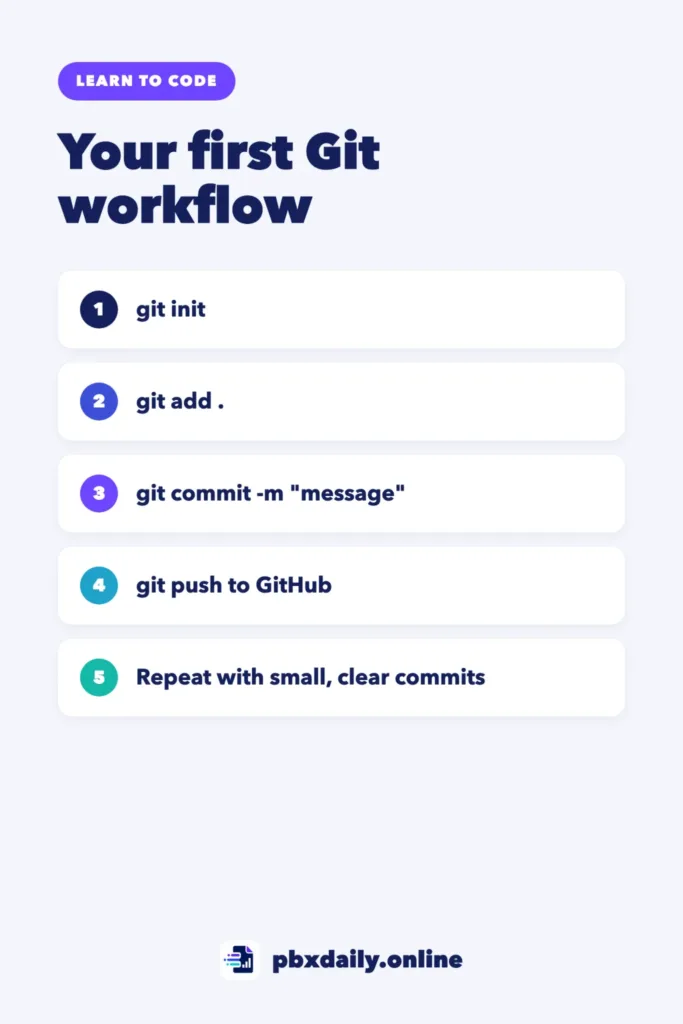
Git vs. GitHub in One Minute
Git is a version control system that runs on your computer. It records snapshots of your project, called commits, so you can see what changed and go back if something breaks. GitHub is a website that hosts Git repositories online, so you can back up your work, collaborate and show your code to others. You can use Git without GitHub, but for a portfolio you’ll want both. GitHub’s own introduction to Git is a good companion to this guide.
Set Up Once
Install Git from the official website, then tell it who you are. Run these two commands once:
git config --global user.name "Your Name"
git config --global user.email "you@example.com"
Use the same email address as your GitHub account so your commits are linked to your profile.
Your First Project, Step by Step
1. Turn a Folder Into a Repository
cd my-first-site
git init
This creates a hidden .git folder where Git stores your project’s history. You only do this once per project.



2. Save Your First Snapshot
git add .
git commit -m "Add homepage structure"
git add chooses which changes go into the next snapshot; the dot means “everything in this folder”. git commit saves that snapshot with a short message describing what you did.
3. Put It on GitHub
Create a new, empty repository on GitHub. Then connect your local project to it and upload your commits:
git remote add origin https://github.com/your-username/my-first-site.git
git branch -M main
git push -u origin main
GitHub will ask you to authenticate. It no longer accepts your account password for Git over HTTPS, so follow the sign-in flow it offers or use a personal access token or SSH key. After the first push, a plain git push is enough.
The Everyday Loop
Once your project is on GitHub, almost every working session follows the same four steps:
git status
git add .
git commit -m "Describe the change"
git push
Run git status often. It tells you which files changed and what’s ready to commit. Commit small, related changes with clear messages, such as “Fix mobile menu” instead of “update”.
Branches Without Fear
A branch lets you try something new without touching the version that already works:
git switch -c new-contact-form
# make and commit your changes
git switch main
git merge new-contact-form
For a solo first project, one or two branches are plenty. The goal is to get comfortable with the idea, not to master every team workflow.
Common Beginner Mistakes (and How to Fix Them)
- One huge commit at the end of the day. Commit each small change instead, so you can find and undo problems easily.
- Vague commit messages. “Stuff” or “changes” won’t help you later. Describe what changed.
- Committing passwords or API keys. Keep secrets out of your repository and list sensitive files in a
.gitignorefile. If you already pushed a secret, change it immediately; deleting the file later doesn’t remove it from the history. - Working on two computers without syncing. Run
git pullbefore you start, so you have the latest version. - A typo in your last commit message. Before pushing, fix it with
git commit --amend. - Not knowing what happened.
git log --onelineshows your history in a compact list.
Publish It With GitHub Pages
If your project is a static site built with HTML, CSS and JavaScript, GitHub Pages can publish your repository as a live website for free. To compare it with Netlify, Cloudflare Pages and Vercel, see how to deploy a website for free. Follow GitHub’s Pages quickstart to set it up. A live link is one of the things we recommend in what to include in a beginner developer portfolio. If you’re still learning the basics, start with the right order to learn HTML, CSS and JavaScript. Once it’s live, give it a clear README that recruiters will actually read.
Sources
- Scott Chacon and Ben Straub: Pro Git (free online book)
- Git: Reference documentation
- GitHub Docs: About Git
- GitHub Docs: Hello World
- GitHub Docs: Quickstart for GitHub Pages
Your Next Step
Take a project you already have, run git init, make your first commit and push it to GitHub today. Then make one more small change and repeat the everyday loop until it feels routine.

Luiz Loiola is a digital strategist and the founder of PBX Daily. He writes about technology, programming, artificial intelligence, freelancing, remote work, career change, and online income, helping beginners and professionals build practical digital skills, create new career opportunities, and compete in the global online market.